XingZers 4K Video Capture Card HDMI DVI VGA to USB3.0 1080P 60FPS for Live Streaming Medical Imaging Game Recording Plug & Play No Driver Windows/Linux/MAC
XingZers 4K Video Capture Card HDMI DVI VGA to USB3.0 1080P 60FPS for Live Streaming Medical Imaging Game Recording Plug & Play No Driver Windows/Linux/MAC
Share
Couldn't load pickup availability
Professional 4K Video Capture Solution for Multiple Applications
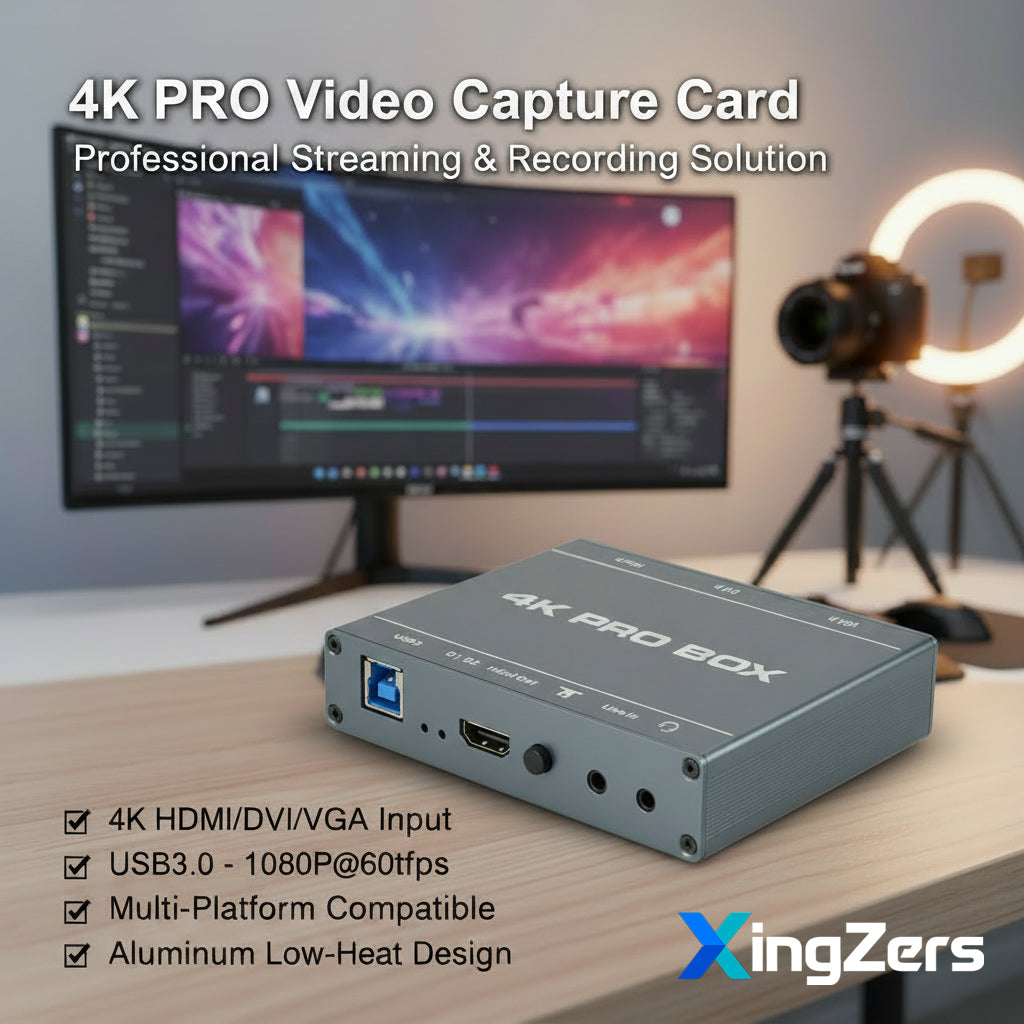
Transform your video workflow with our versatile 4K USB3.0 Video Capture Card. This professional-grade device seamlessly converts DVI, HDMI, and VGA signals into high-quality USB output, making it perfect for live streaming, medical imaging, video conferencing, and game recording.
🎯 Key Features
4K High-Quality Input – Supports up to 4K resolution input from various sources including conference cameras, computers, set-top boxes, gaming consoles, ultrasound machines, industrial cameras, and medical imaging equipment.
USB3.0 High-Speed Output – Captures real-time 1080P at 60fps with zero compression. USB3.0 delivers peak transfer speeds of 400MB/s, ensuring smooth, lag-free recording even for fast-paced gaming and action sequences. Compared to 30fps capture, 60fps preserves twice the image frames for a superior streaming experience.
Plug and Play - No Drivers Required – UVC/UAC compliant design works instantly with Windows, Linux, Android, and Mac systems. Simply connect and start capturing, no software installation needed.
HDMI Loop-Out Support – Simultaneous HDMI pass-through allows you to monitor your content on an external display while recording.
Dual-Purpose Design – Functions as both a capture card and signal converter, offering exceptional versatility for your setup.
Low Heat Generation – Engineered with advanced thermal management and aluminum alloy housing with ventilation holes, ensuring stable performance during extended operation.
💼 Wide Application Scenarios
• Medical Field – Capture high-definition video from ultrasound machines, endoscopes, and other medical imaging devices
• Business & Education – Record video conferences, presentations, and training sessions
• Gaming – Stream and record gameplay from PS4, Xbox, and other gaming consoles
• Live Streaming – Professional-quality broadcasting for platforms like YouTube, Twitch, and Facebook Live
• Industrial Applications – Capture output from industrial cameras and specialized equipment
⚙️ Technical Specifications
| Specification | Details |
|---|---|
| Video Capture Protocol | Standard UVC/UAC |
| Driver | No Driver Required - Plug and Play |
| OS Support | Windows / Linux / Android / Mac |
| Compatible Software | OBS, Pot Player (Windows), AMCap, VLC |
| Input Interfaces | DVI, HDMI, VGA |
| Output Interfaces | USB3.0, HDMI (Loop-out) |
| Audio Interfaces | 3-pole 3.5mm (Line In), 4-pole 3.5mm (Microphone) |
| Supported Resolutions | 1920×1080, 1600×1200, 1360×768, 1280×1024, 1280×960, 1280×720, 1024×768, 800×600, 720×480, 720×576, 640×480 |
| Video Format | YUY2, MJPEG |
| Frame Rates | 60, 50, 40, 30, 25, 15, 10 fps |
| Power Consumption | <3W |
| Operating Temperature | -20°C to 65°C |
| Operating Humidity | 5% - 90% |
| Dimensions (L×W×H) | 112mm × 82mm × 25mm |
| Weight | Device Only: 200g | Complete Package: 650g |
💡 Easy Setup Instructions
Step 1: Connect your video source (VGA/DVI/HDMI) to the corresponding input port on the capture card.
Step 2: Connect the USB3.0 port to your computer, tablet, or smartphone (with OTG adapter for mobile devices).
Step 3: Connect audio sources to LINE IN port; microphone to headset port (supports audio mixing).
Step 4: Optional: Connect HDMI output to a monitor for real-time preview.
Step 5: Open your preferred capture software (OBS, Pot Player, AMCap, VLC) or video conferencing platform and select "AFN_CAPVIDEO" as your video source.
🔌 LED Indicator Guide
• D1 (USB Indicator): Solid when active, off when inactive
• D2 (Signal Indicator): Solid for HDMI channel, blinking for DVI channel, off for VGA channel
🏗️ Compact & Portable Design
The sleek aluminum housing and compact form factor make this capture card perfect for professionals on the go. Easily fits in your laptop bag for presentations, remote work, or field recording.
📦 What's in the Box
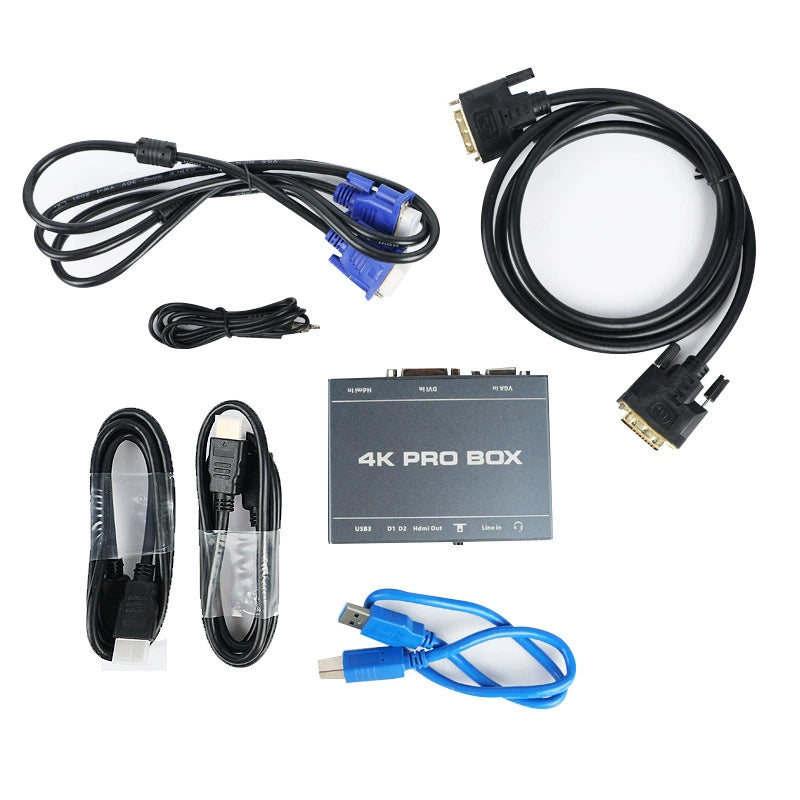
• 1× XZSCC-4KPRO Main Unit
• 1× USB3.0 Cable (50cm)
• 2× HDMI Cable (100cm)
• 1× DVI Cable (150cm)
• 1× VGA Cable (150cm)
• 1× Audio Cable (100cm)
• 1× User Manual
❓ Frequently Asked Questions
Q: Does this require driver installation?
A: No, the device is plug-and-play with no drivers required. Simply connect and use.
Q: Can it operate continuously without overheating?
A: Yes, the low-heat design with aluminum housing and ventilation ensures stable long-term operation.
Q: Is customization available?
A: Yes, we offer custom hardware and software solutions to meet specific requirements.
🛠️ Custom OEM Solutions Available
We offer customization options for both hardware and software to meet your specific requirements. Contact us for OEM inquiries.